Getting Started · chapter 8 of 9 · ● ● ● ● ● ● ● ● ○
8 · Link it and open the pull request
Goal: a draft pull request in your product's repository, with the test linked in
.tractusx. Time: 5 minutes
Steps
- Open the file
.tractusxin the root of your repository. It is the metafile that describes the product. -
Add this block at the end, with your product's name:
-
Commit and push:
-
Open your fork on GitHub. Press Compare & pull request in the yellow banner.
- Check that the base repository is
eclipse-tractusx/<your-product>. Write one sentence per test: what it proves. - Open the arrow next to the green button, choose Create draft pull request and press it.
- Ring the bell.
You should now see
Your pull request, with the checks starting at the bottom: Validate and compile finishes in under a minute, Run in Eclipse Tractus-X developer toolbox in about five.
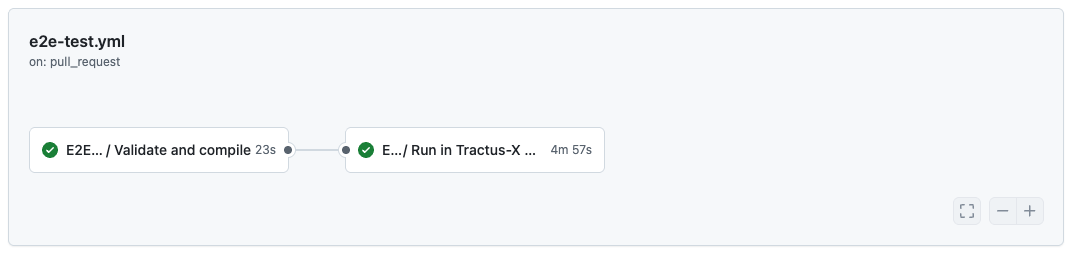
Click the second job and scroll to E2E test result. This is the pilot team's:
TCK RUN SUMMARY
  ✓ Register and read                          PASS
  ✓ A partner reads through the connector      PASS
  ✓ An unknown twin is not found               PASS
RESULT: PASS  |  3 passed  0 failed  0 skipped
Note
The first contribution of a person to a repository needs a committer's approval before its workflows run. If your checks say waiting for approval, that is the reason, not an error. A facilitator knows who can approve.
Tip
Stuck?
- You want to see it run now: open a second pull request inside your fork, from
test/e2e-testto your fork'smain. It needs no approval and runs at once. - The ECA check is red: the email of your commits is not the one of your Eclipse account. See Troubleshooting.
git pushis refused: GitHub wants a token or an SSH key, not your password. Let a teammate whose laptop can push be the Driver.- A check fails: Troubleshooting.
NOTICE
This work is licensed under the CC-BY-4.0.
- SPDX-License-Identifier: CC-BY-4.0
- SPDX-FileCopyrightText: 2026 Contributors to the Eclipse Foundation
- SPDX-FileCopyrightText: 2026 Catena-X Automotive Network e.V.
- Source URL: https://github.com/eclipse-tractusx/tutorial-resources
 matbmoser
 CDiezRodriguez