Getting Started · chapter 4, route C · ● ● ● ● ○ ○ ○ ○ ○
4C · Build with your own AI tool
Goal: a test project for your product that compiles, built on your laptop with the AI coding assistant you already have. Time: 20 minutes. It replaces chapters 4 and 5.
Take this route when you have no API key for the assistant in the IDE, but you do have an assistant of your own: Claude Code, GitHub Copilot in VS Code, Cursor, Codex or a chat app. A subscription is enough here, because you use the vendor's own tool.
The assistant does not know the TCK format. The agent kit teaches it: a skill with the syntax, the patterns, the template and a review checklist. Expect a little less comfort than in the IDE. It works.
Steps
-
Install the TestLab command line. Your assistant uses it to check its own work:
-
Clone the fork you made in chapter 2 and start a branch:
-
Get the tutorial's files next to it, and install the skill for your tool. Use
claude,copilot,cursororcodex:git clone --depth 1 https://github.com/eclipse-tractusx/tutorial-resources.git ../tutorial-resources ../tutorial-resources/e2e-testing/agent-kit/install.sh claudeAnother tool, or a chat app? See Set up your AI tool.
-
Copy the template into your repository:
-
Open the repository folder in your assistant, start a new chat and send this, with your product and the scenario from the handout, box A:
-
Read the plan. The Skeptic asks: does each test prove a promise, is the negative test a real refusal, and is nothing from the handout written into a file? Correct it in plain words, then say yes.
-
Let the assistant write. It runs
testlab validateafter every file. When it says it is done, check for yourself: -
Open the IDE: the address and the account are in box B of your handout. Click the TestLab IDE icon in the bar on the left.
- On the welcome screen, click Open Folder and choose the folder
tck/e2eof your repository. - Press Compile.
Now continue with chapter 6. In chapter 7, skip steps 1, 2, 3 and 5: your files are already in your repository, with their licence headers.
You should now see
In the terminal:
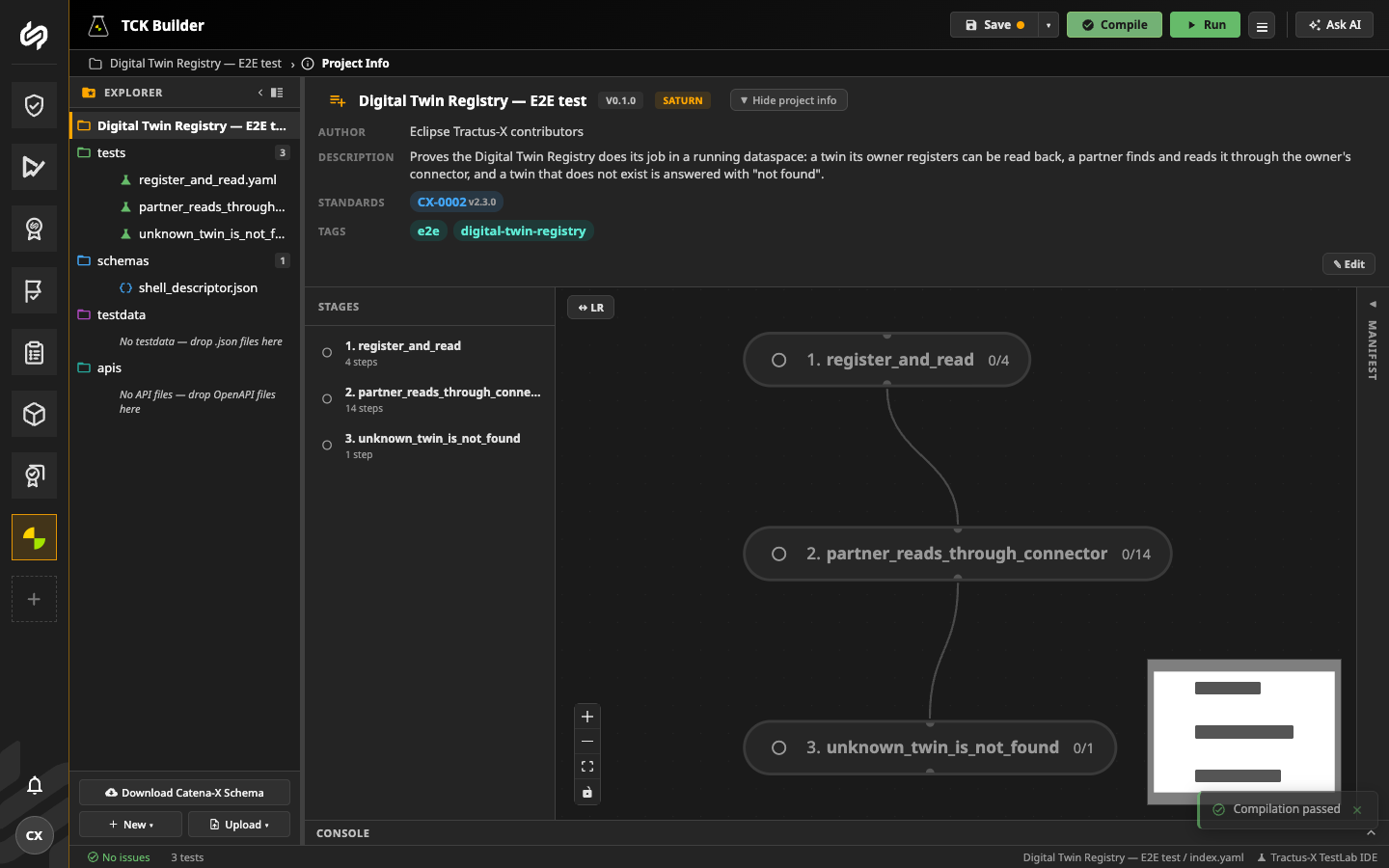
In the IDE, your tests in the explorer on the left and the message Compilation passed.
Note
You changed something in the IDE afterwards? Then the IDE has the newest version, not
your folder. Export it as in chapter 7, step 1, and unpack it over tck/e2e. The export
drops comments, so add the licence headers again as in chapter 7, step 5.
Tip
Stuck?
- The assistant does not seem to know the skill: start a new chat, or point it at
the file:
Read ../tutorial-resources/e2e-testing/agent-kit/AGENTS.md and follow it. - It invents steps: say
Use only steps that testlab docs lists. testlabis not found: thepip installwent into another Python. Trypython3 -m pip install "tractusx-testlab==1.0.0a24"and open a new terminal.validatestays red after three rounds: copy the template again (step 4) and ask for one test at a time.- Your assistant cannot run commands: run
testlab validateyourself and paste the output back to it.
NOTICE
This work is licensed under the CC-BY-4.0.
- SPDX-License-Identifier: CC-BY-4.0
- SPDX-FileCopyrightText: 2026 Contributors to the Eclipse Foundation
- SPDX-FileCopyrightText: 2026 Catena-X Automotive Network e.V.
- SPDX-FileCopyrightText: 2026 LKS Next
- Source URL: https://github.com/eclipse-tractusx/tutorial-resources
 matbmoser
 CDiezRodriguez