Getting Started · chapter 4, route B · ● ● ● ● ○ ○ ○ ○ ○
4B · Connect a local model
Goal: a model on your own laptop answers you in the IDE. Time: 10 minutes, plus the download
The model runs on your laptop, so nothing leaves your machine. The IDE's Small model mode gives it short instructions and lets it look up what it needs, so even a small model answers in seconds.
Which model?
| Your laptop | Take | Download |
|---|---|---|
| 8 GB of RAM | qwen2.5:3b |
2 GB |
| 16 GB of RAM | qwen2.5:3b or qwen2.5:7b |
2 or 5 GB |
| 32 GB or more, Apple Silicon or a large GPU | A larger model, for example qwen2.5:14b or qwen3:30b |
9 to 18 GB |
In our trial, qwen2.5:3b and qwen2.5:7b both made every change the tutorial needs.
Take the 3B unless your laptop has room to spare. The larger ones we have not tried. On a
laptop without a GPU, expect a minute per step: route A or C is the better choice there.
Steps
- Install Ollama.
-
Download the model. Best at home, before the session:
-
Start Ollama so that the IDE may call it. Put the address from box B of your handout in place of the example:
-
Download the template,
e2e-test-template.zip. - In the IDE you used in chapter 3, click ☰, then File, then File or package, and choose the ZIP.
- At the top right, click Ask AI. Under Model, choose Local / self-hosted LLM. Keep Server at Ollama and click Connect.
- Choose your model in the list. Leave Small model mode switched on.
- Type
Hello. What is in this project?and press Enter.
You should now see
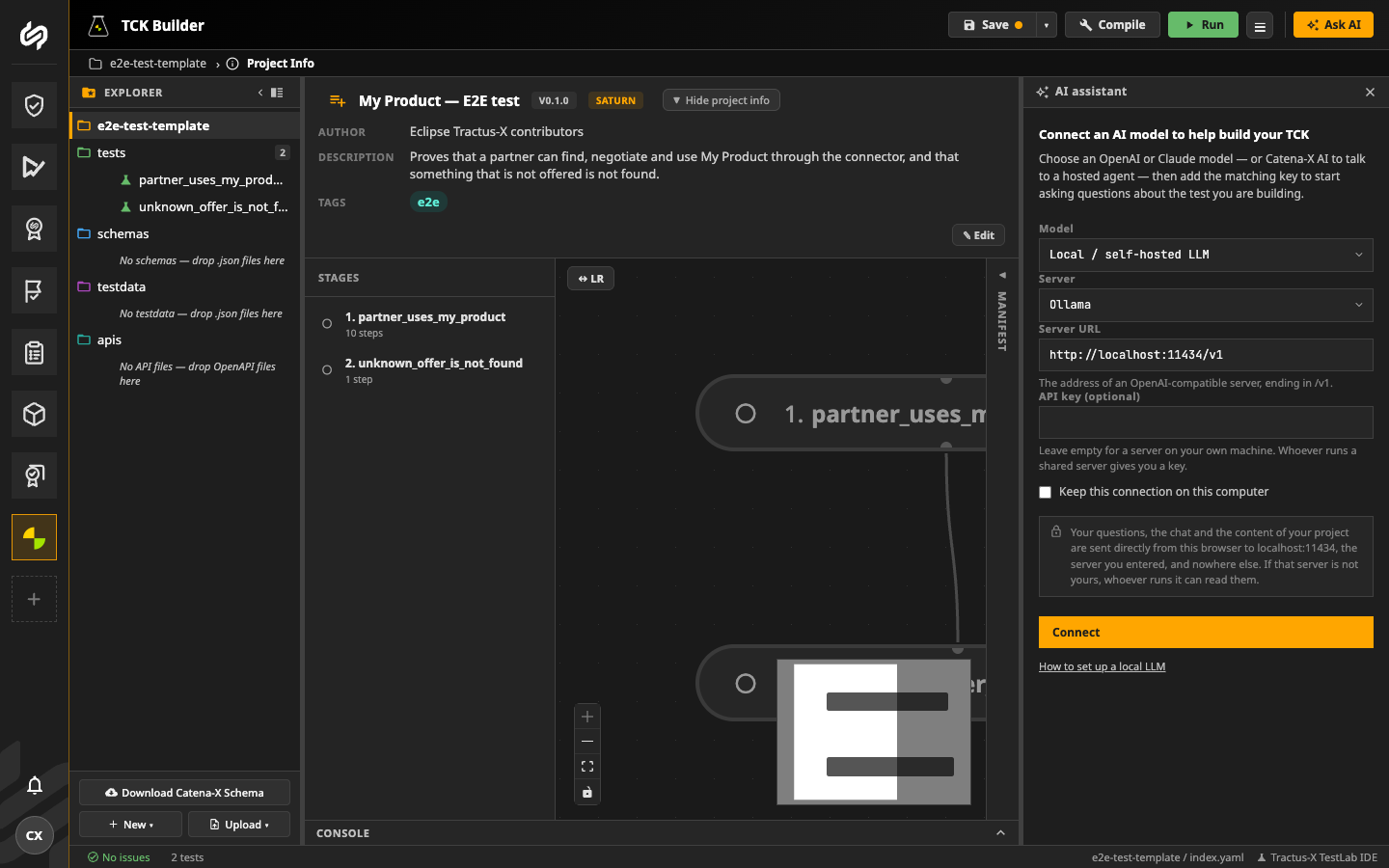
After step 8, the assistant answers with a short description of the two tests, within half a minute.
How to talk to a small model
You will use these in chapter 5:
- One change per message. "Rename the step", then "add a check". Not "write the test".
- Name the file every time:
In tests/partner_uses_my_product.yaml …. Each message stands alone; the model does not remember the previous one. - Read every change. Each one is listed above the message box with Review and Undo.
Note
Small model mode is new. If your IDE does not show the switch yet, a local model
needs OLLAMA_CONTEXT_LENGTH=65536 and a fast machine, and the first answer takes
minutes. Then take route A or C.
Tip
Stuck?
- "Could not load the server's models": Ollama is not running, or the address in
OLLAMA_ORIGINSis not exactly the IDE's address. Stop it and start it again (step 3). - It answers but never changes a file: you are in Ask or Plan. Switch to Agent.
- It keeps getting it wrong: ask for a smaller change, or switch to route A or C.
NOTICE
This work is licensed under the CC-BY-4.0.
- SPDX-License-Identifier: CC-BY-4.0
- SPDX-FileCopyrightText: 2026 Contributors to the Eclipse Foundation
- SPDX-FileCopyrightText: 2026 Catena-X Automotive Network e.V.
- SPDX-FileCopyrightText: 2026 LKS Next
- Source URL: https://github.com/eclipse-tractusx/tutorial-resources
 matbmoser
 CDiezRodriguez