Getting Started · chapter 4, route A · ● ● ● ● ○ ○ ○ ○ ○
4A · Connect your API key in the IDE
Goal: the assistant in the IDE answers you. Time: 5 minutes
You know the IDE from chapter 3. Now you open your team's project in it and connect the assistant.
Steps
- Download the template:
e2e-test-template.zip. - In the IDE, click ☰ at the top right, then File, then File or package, and choose the ZIP you just downloaded. (Closed the IDE? Open the address in box B, click the Test Suite IDE icon on the left, then Open File on the welcome screen.)
- At the top right, click Ask AI.
-
Under Model, choose the model you brought:
You brought Choose Then enter An OpenAI key A GPT model Your key, then Connect OpenAI An Anthropic key A Claude model Your key, then Connect Anthropic Catena-X AI access Catena-X AI Your key and agent ID -
Type
Hello. What is in this project?and press Enter.
You should now see
The template project on the left, with its two tests, and the assistant panel on the right.
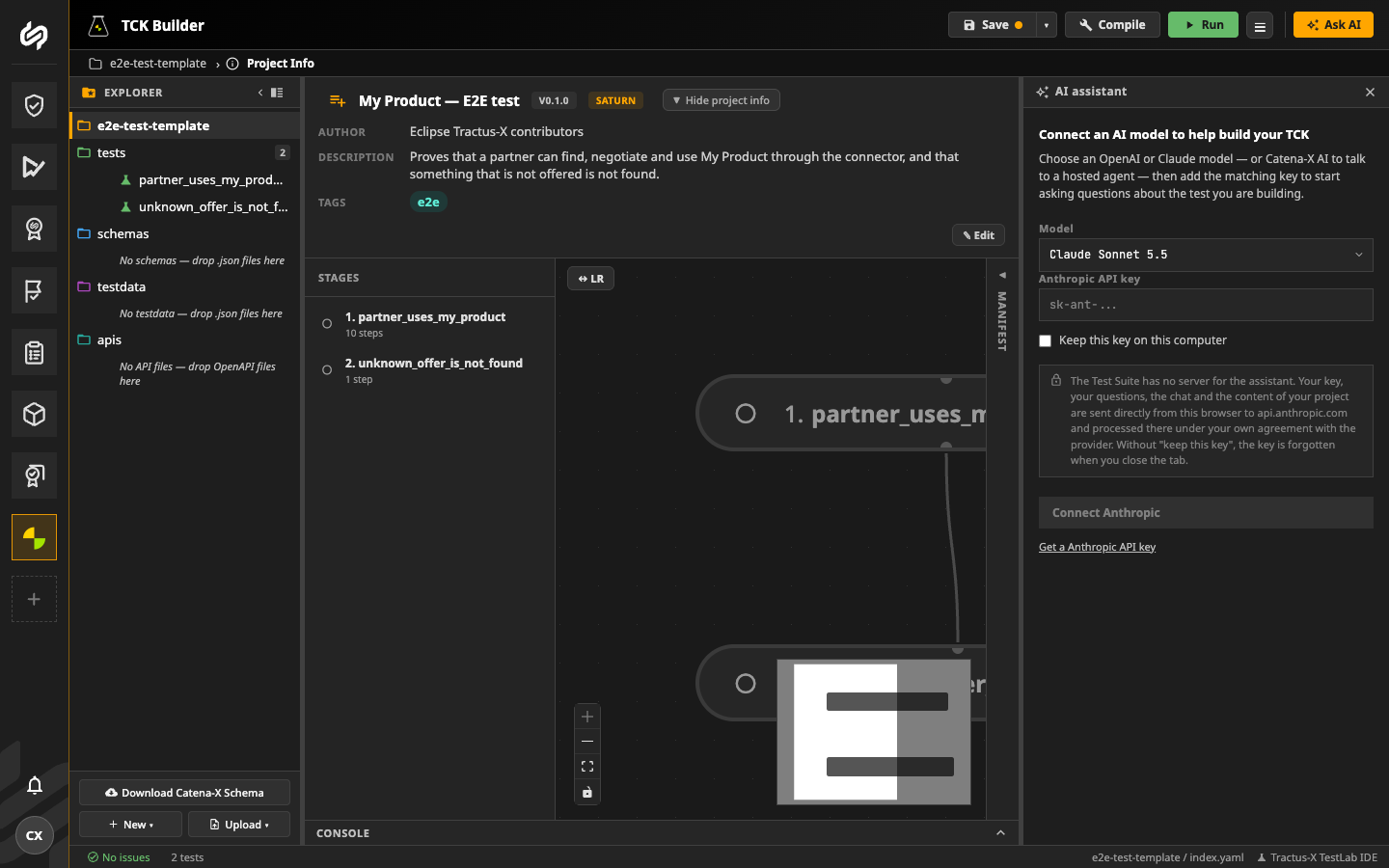
After step 5, the assistant answers with a short description of the two tests.
Note
Your key goes from your browser straight to the provider you chose. The Test Suite has no server for the assistant. Without Keep this key on this computer, the key is forgotten when you close the tab.
Tip
Stuck?
- A "Welcome" dialog covers the page: close it with the × at its top right.
- The key is refused: copy it again without spaces. A ChatGPT or Claude subscription is not an API key.
- No API key, but a subscription to an AI coding assistant: take route C. You build on your laptop with your own tool and open the result here.
- Nobody in the team has a model: join a team that has one, or build by hand from the worked example.
NOTICE
This work is licensed under the CC-BY-4.0.
- SPDX-License-Identifier: CC-BY-4.0
- SPDX-FileCopyrightText: 2026 Contributors to the Eclipse Foundation
- SPDX-FileCopyrightText: 2026 Catena-X Automotive Network e.V.
- SPDX-FileCopyrightText: 2026 LKS Next
- Source URL: https://github.com/eclipse-tractusx/tutorial-resources
 matbmoser
 CDiezRodriguez